
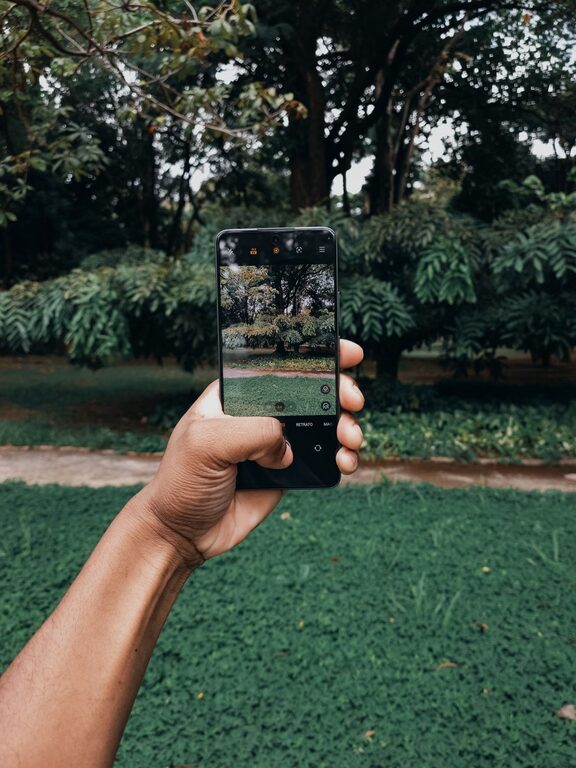
Taking great photos with your phone is easier than you might think. Whether you’re capturing memories, sharing moments on social media, or exploring a new hobby, these beginner-friendly tips will help you take better photos using your smartphone. No fancy equipment or professional training required—just a little practice and some helpful pointers.
Understand Your Phone’s Camera
Before you dive into photography, spend some time exploring your phone’s camera features. Most modern smartphones offer a variety of modes, settings, and tools to help you capture better images.
– Explore camera modes: Check if your phone has modes like portrait, panorama, night, or pro mode.
– Adjust focus and exposure: Tap on the area of the screen where you want to focus. Many phones also allow you to slide to adjust brightness.
– Use gridlines: Enable gridlines in your camera settings to help you line up shots using the “rule of thirds.”
Clean Your Lens
It sounds simple, but a quick wipe can make a big difference. Your phone’s camera lens can easily get dirty or smudged, leading to blurry or hazy photos.
– Use a soft, lint-free cloth (like a microfiber cloth) to gently clean the lens before shooting.
– Avoid using harsh cleaners or tissues that might scratch the lens.
Focus on Composition
How you frame and arrange the elements in your photo matters. Good composition draws the viewer’s eye and makes your photos more interesting.
Use the Rule of Thirds
Imagine your screen divided into a 3×3 grid. Try to place key elements along these lines or where the lines intersect rather than in the center. This creates balance and visual interest.
Find Leading Lines
Look for natural lines that lead toward your subject, such as roads, fences, or shadows. These help guide the viewer’s eye into the photo.
Simplify the Scene
Avoid cluttered backgrounds or distracting objects. Sometimes the best photos have a clean, simple background that makes your subject stand out.
Look for Good Lighting
Lighting is one of the most important factors in photography. The right light can highlight details and create mood, while poor lighting can make photos dull or grainy.
– Shoot in natural light: Whenever possible, take photos outdoors or near windows.
– Avoid harsh midday sun: Bright, direct sunlight can cause strong shadows and washed-out colors. Early morning and late afternoon light is softer and more flattering.
– Use shadows creatively: Shadows can add depth or interesting patterns to your photos.
– Avoid using the flash: The phone’s built-in flash often produces harsh, unnatural light. Instead, try to find better natural light or increase exposure manually if needed.
Keep Your Hands Steady
Shaky hands can blur your photos, especially in low light. Here are some tips to keep your shots sharp:
– Hold your phone with both hands.
– Brace your arms against your body or a stable surface.
– Use a timer or voice command to reduce movement when tapping the shutter.
– If available, try using a small tripod or phone stabilizer.
Experiment with Angles and Perspectives
Don’t just shoot from eye level. Changing your viewpoint can make your photos more dynamic and unique.
– Get low: Try kneeling or lying down to capture a subject from below.
– Shoot from above: Take photos looking down for a fresh perspective, especially with food or flat layouts.
– Move around your subject: Walk around and shoot from different sides to find the most interesting angle.
Use Editing Tools Wisely
Editing can enhance your photos but don’t overdo it. Most smartphones have built-in editing apps that let you crop, adjust brightness, contrast, and colors.
– Crop to improve composition or remove distractions.
– Adjust brightness and contrast to make your photo pop.
– Keep colors natural and avoid excessive filters.
– Try out free apps like Snapseed or Lightroom Mobile for more editing options.
Practice Regularly and Review Your Work
The best way to improve is to take lots of photos and review them honestly.
– Look for photos you like and consider what makes them stand out.
– Notice photos that didn’t turn out well and think about what you could do differently.
– Challenge yourself to shoot different subjects, lighting conditions, and styles.
Bonus: Backup Your Photos
Don’t risk losing your photos by only storing them on your phone.
– Use cloud services like Google Photos, iCloud, or Dropbox to automatically back up your images.
– Regularly transfer photos to a computer or external drive for safekeeping.
—
With these tips, you’ll be ready to take better phone photos in no time. Remember, the key is to practice, experiment, and have fun capturing the world through your lens. Happy shooting!
